
Bluewheel BXB55 – FAQ
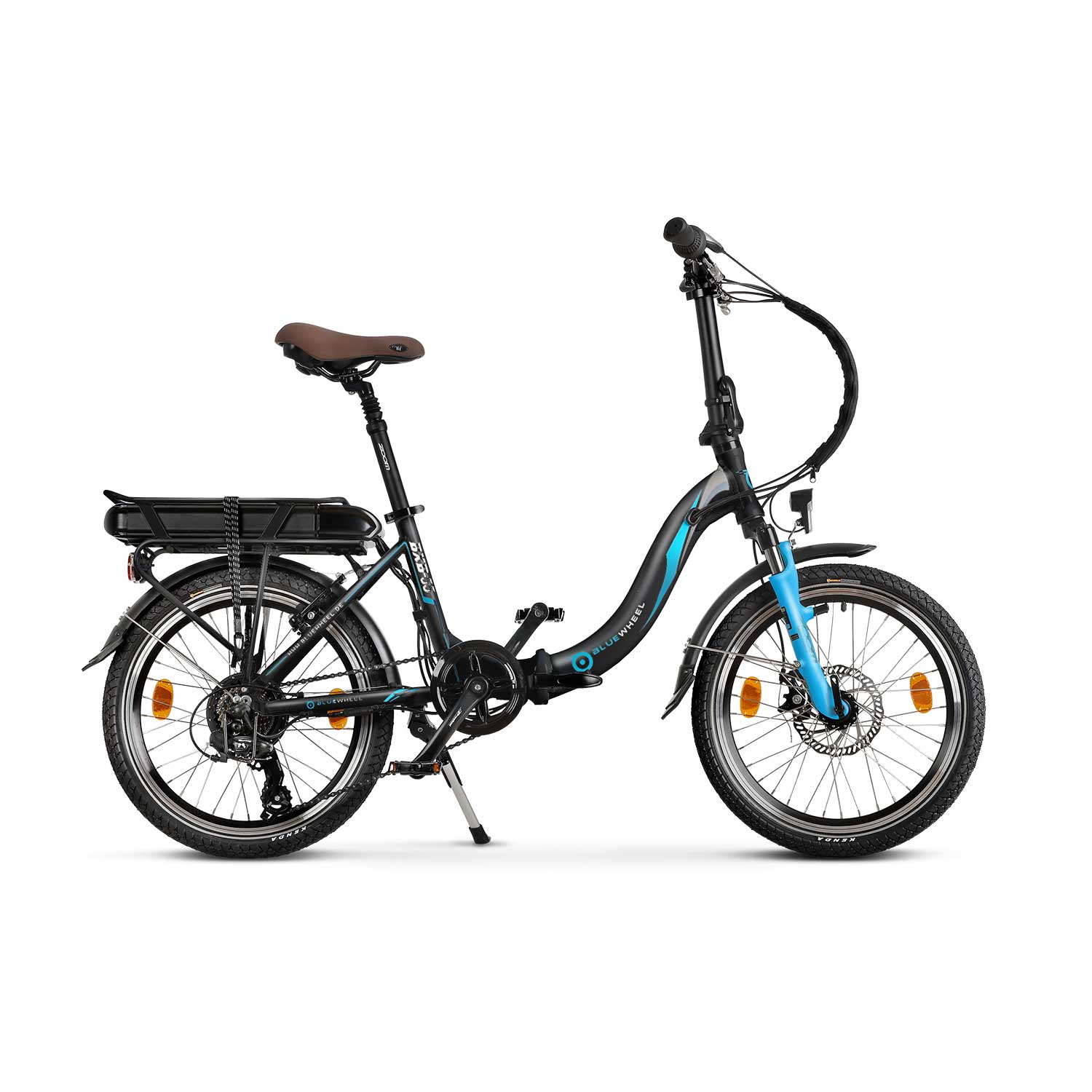
BXB55 Product Photo
 Assembly Instructions
FAQ
How do I operate the console?
1. Switch between displays = Press the middle button
2. Switch on = Press and hold the middle button
3. Switch assistance on/off = Press the + or - button, levels 0 to 5.
4. Switch on the light = Press and hold the + button
5. Starting aid = Press and hold the - button
6. QR code for the BikeWiseApp = Press and hold the + and - buttons, then select "Connect to App"
7. Trip Reset = Press and hold the + and - buttons, then select "Display Settings" and then Trip Reset; since 2023, the On/Off button and the + button must be pressed and held simultaneously until the counter reaches 0.
Maintenance and cleaning instructions
Do not immerse the device in water or clean it with pressurized water. Clean the device with a soft cloth dampened with water only. Do not use cleaning products.
The USB port is not waterproof when exposed. If riding in the rain, an external device must be connected and the USB cap must be fully closed and sealed.
Quick Fixes & Troubleshooting
Error 21,22,23
Error codes 21, 22, and 23 indicate problems with the motor or connection issues with the motor, possibly due to a faulty cable.
Error 25
Error 25 indicates a problem with one of the brake levers. To find out which brake lever is affected, proceed as follows: First disconnect the plug from one brake lever and check whether the error is still displayed. If the error disappears, the problem is with the disconnected brake lever. If the error is still displayed, the other brake lever is faulty.
Error 26
This error message indicates that the battery is discharged; simply recharge it.
Error 30
Error code 30 indicates a faulty display, a faulty cable connection, or a faulty cable.
Does not light up
First, check whether the toggle switch on the underside of the battery is set to "On". 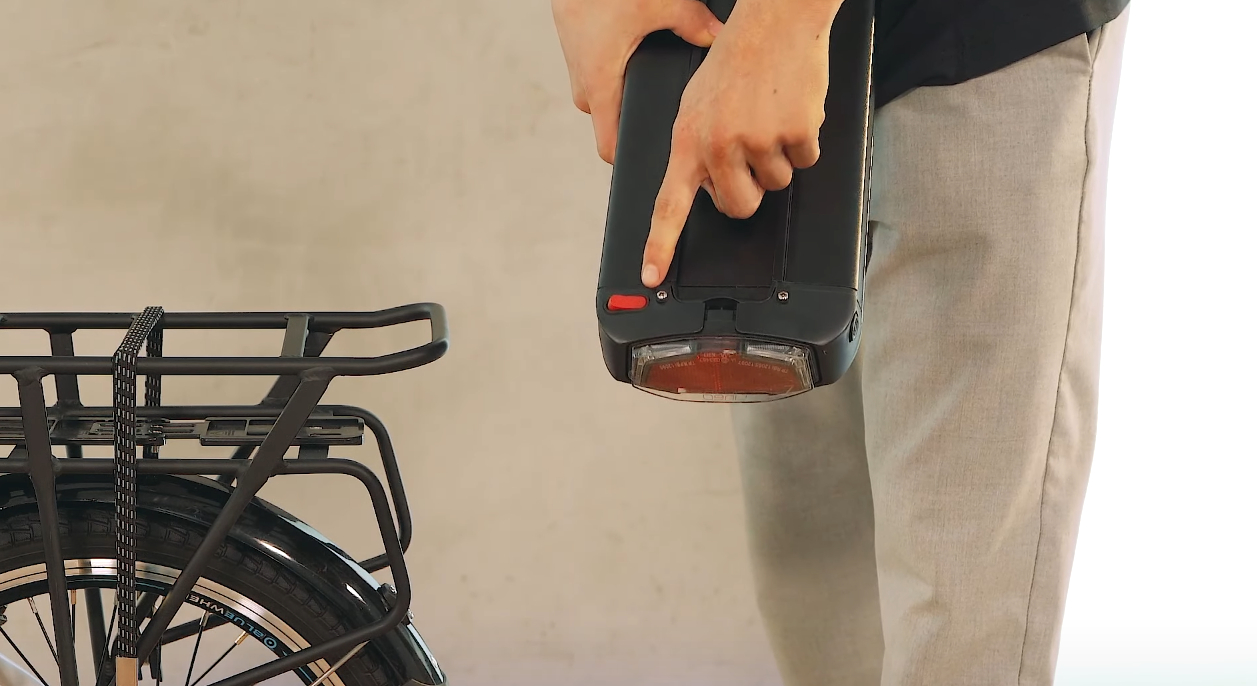
Lights up red
Make sure the wall outlet is working. Check the charger’s power cable. If the charger still does not work, it may need to be repaired or replaced. Do not try to open the charger yourself. Even if the charger is not plugged in, you could still be injured by an electric shock.
Lights up green
The battery is fully charged.
After being unused for a long time, the display does not respond and simply remains black.
You can replace the display. Spare part: BW_BXB55_01
The battery is fully charged, but the device will not switch on.
First, check whether the toggle switch on the underside of the battery is set to "On".
A short circuit occurs even though the plug is not even plugged into the outlet.
It is possible that either the socket or the circuit board is faulty. To check this more closely, we only need the component with the socket (part no. 18)
There is a clicking noise in the rear wheel while riding.
This is caused by loose spokes. Loose spokes should be tightened at a bicycle repair shop, as this is part of regular maintenance.
The battery seems to be faulty.
First, check whether the toggle switch on the underside of the battery is set to "On".
I have lost the key to the battery.
Unfortunately, we cannot provide replacement keys, as we do not have them in stock. In such cases, a new lock must be installed.
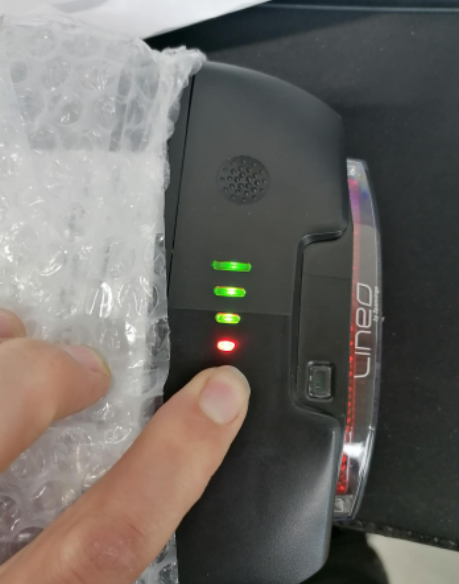
Battery - One bar lights up red.
The BXB55 batteries have a four-bar indicator to show the charge level: when fully charged, three bars light up green, while one bar always remains red. This is the correct operating state.
The spare parts list shows all the individual components, from assembly through to use.
The manual contains all the important information.