
PROwer FAQ
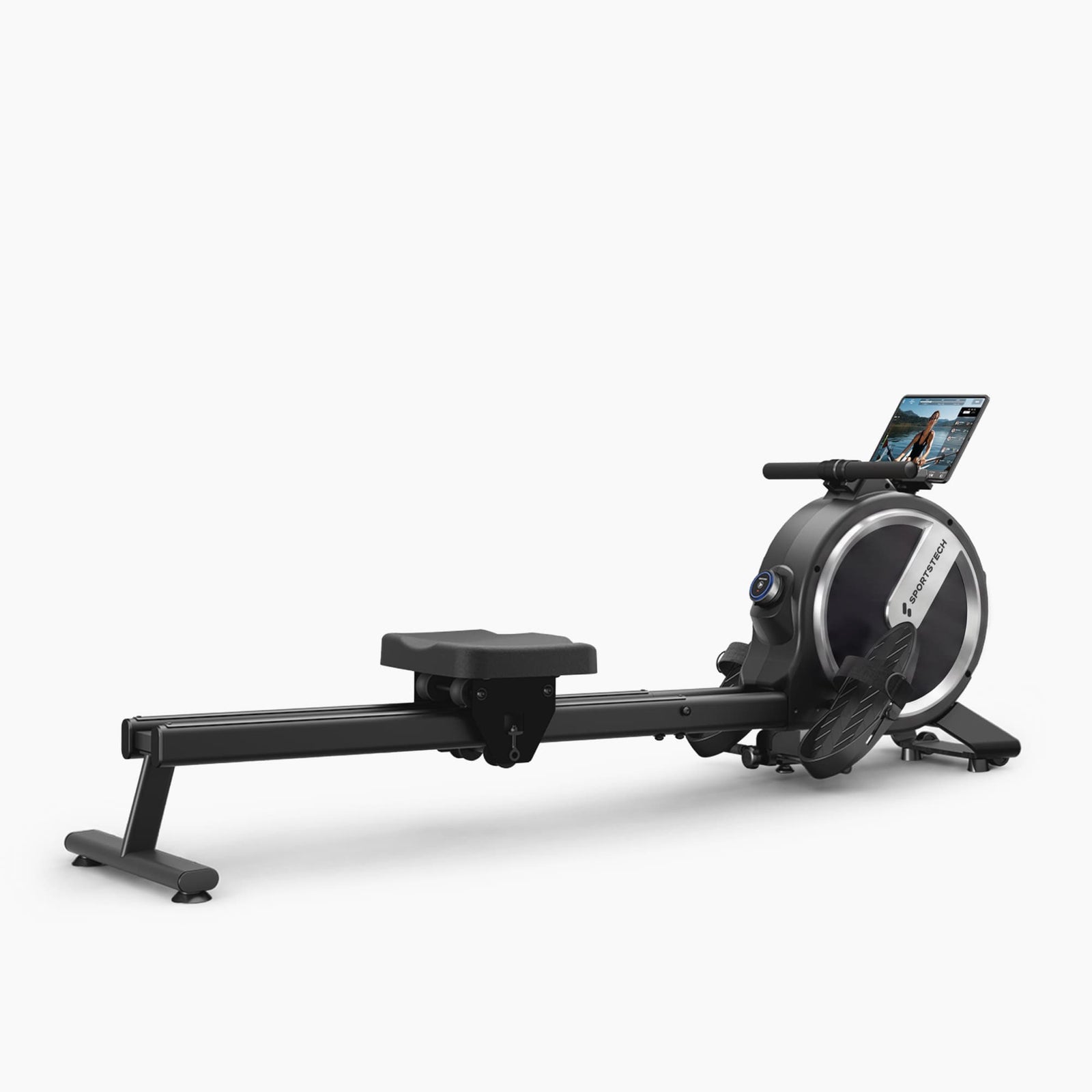
PROwer product photo
FAQ
What is the maximum user weight for the PROwer?
The maximum permitted user weight is 150 kg.
What are the dimensions of the rowing machine when assembled?
The assembled PROwer measures 161,8 x 47,5 x 62,5 cm and weighs 20,8 kg. Thanks to its integrated transport wheels, the machine is very easy to move.
Does the PROwer have an integrated display or tablet?
The PROwer has a small, round LED knob display directly on the machine.
The larger display shown in the product images is not integrated into the machine; it is a separate tablet. The PROwer has a tablet holder where you can place your own compatible tablet or smartphone during your workout. The iPad/tablet is not included.
Can the machine be folded?
No, the PROwer cannot be folded, but it can be stored upright against a wall. Its dimensions when stored upright are 66,3 x 47,5 x 161 cm. This saves considerably more space, and the machine is easy to move thanks to its transport wheels.
Can it connect to the Sportstech Live app?
Yes, the PROwer is Bluetooth-enabled and can connect to the Sportstech Live app. The app offers a wide range of workouts led by professional trainers, landscape and outdoor videos, community features, and performance tracking. A paid Premium version (Sportstech Live+) with additional features is also available.
What advantages does the PROwer offer over other models?
The PROwer offers several key advantages: stability for users weighing up to 150 kg thanks to its dual aluminum rail; precision with 32 computer-controlled magnetic resistance levels (compared to just 8 on many low-cost models); smart features including an LED knob display and full integration with the Sportstech Live app; extremely quiet operation at just 59 dB; space-saving vertical storage; maintenance-free technology; and excellent value for money at under 300 euros.
Which training programs are available?
The PROwer offers flexible training options: the Sportstech Live app (free Basic version, with a Premium version offering additional features) provides a wide range of workouts led by professional trainers, landscape and outdoor videos, and community features. The paid Kinomap app is also compatible and offers interactive video routes. You can also work out freely in manual mode using the LED knob display and 32 resistance levels.
What maintenance intervals are recommended?
The PROwer is maintenance-free and robust: its bearings are permanently lubricated, and the magnetic brake is operated by a tension rod that does not stretch like conventional Bowden cables. We recommend checking before and after every workout that all screw connections are firmly tightened and inspecting them regularly. After your workout, simply wipe off any sweat with a damp cloth. Thanks to its maintenance-free electronics, running costs are significantly lower than those of water- or air-resistance models.
Which metrics are shown on the LED knob display?
The LED knob display shows all key performance data: time, distance, heart rate, watts, SPM (strokes per minute), calories, and resistance levels (32 levels available).
What is the main difference between the types of resistance used in rowing machines?
The main difference lies in how the resistance is generated: magnetic resistance is particularly quiet, requires little maintenance, and offers precise adjustment options. Compared with air or water resistance, it operates smoothly and is ideal for home use, as it does not disturb neighbors or other household members.
How is my heart rate measured?
Your heart rate can be measured using the sPulse heart rate monitor strap (available as an optional accessory) and displayed on the screen. The strap connects to the PROwer via Bluetooth.
Troubleshooting & Quick Fixes
The PROwer does not turn on
Description:
The machine does not respond when you try to turn it on, or the display remains dark.
Solution:
1. Check that the machine is properly connected to a power supply
2. Check the battery / power adapter for damage
3. If the display still does not turn on, also see "Display is blank"
Display is blank
Description:
The display is black or does not show any readings.
Solution - step by step:
1. Check the magnet:
• Open the housing: remove the screw from the footrest
• Remove all Phillips screws connecting the left and right halves of the housing (on both sides)
• Check whether the magnet (the silver part directly next to the sensors) is installed
• If the magnet is missing: order a replacement magnet (SP_PROwer_24)
2. Check the sensors:
• If the magnet is in place but no readings are displayed:
• The sensors need to be replaced (SP_PROwer_37 and SP_PROwer_82)
3. Replace the display (if necessary):
• Open the housing (as described above)
• The display is clipped in place, not screwed in
• Disconnect all plug connections
• Remove the old display and install the new display (SP_PROwer_92)
4. Reassemble the housing:
• Reinstall all Phillips screws
• Reattach the screw from the footrest
Unusual noises during use
Description:
The PROwer makes unusual clicking, grinding, or squeaking noises during your workout.
Solution:
Possible cause: Worn spring box
1. Open the housing: remove the screw from the footrest, then remove all Phillips screws on both sides
2. Remove the belt
3. Remove the nuts on the left and right sides
4. Remove the plastic cover on the pull handle
5. Before removing the pull handle, take a photo of or note the path of the pull strap
6. Carefully slide the pull strap over the rubber cover on the pull handle
7. Install the new spring box (SP_PROwer_23) by following the steps in reverse order
Possible cause: Worn motor
1. Open the housing (as above)
2. Take a photo of the position of the actuator, then remove the nut
3. Disconnect the plug connection
4. Remove the 4 Phillips screws securing the motor to the frame
5. Remove the motor and install the new actuator (SP_PROwer_28) by following the steps in reverse order
PROwer maintenance & cleaning
Maintenance:
• Regularly check the screw connections (Phillips screws and nuts) and tighten them if necessary
• Check the plug connections and make sure they are free of dirt
• Check the spring box and motor if necessary (see "Unusual noises")
Cleaning:
• Wipe the machine with a soft, dry cloth
• Use a slightly damp cloth to remove stubborn dirt
• Do not use chemicals or harsh cleaning products
• Do not open the housing for cleaning (except when carrying out repairs)
Lubrication / care:
• Keep the moving parts of the pull handle and spring box free of dust and dirt
• If necessary, carefully clean them with compressed air
• Do not apply oils or lubricants to the housing or sensors
• Regularly check the pull strap for wear and replace it if it is badly worn
Spare parts & technical support
Do you need spare parts or technical assistance?
If you need spare parts or technical support for your PROwer, please contact Sportstech Customer Service. Our team will be happy to assist you and advise you on available spare parts and repair options.
Sportstech Customer Service:
https://www.sportstech.de/kundenservice
The spare parts list includes all individual components used in the machine, from assembly through to use.
The manual contains all the important information.