
sBike Lite Speedbike FAQ
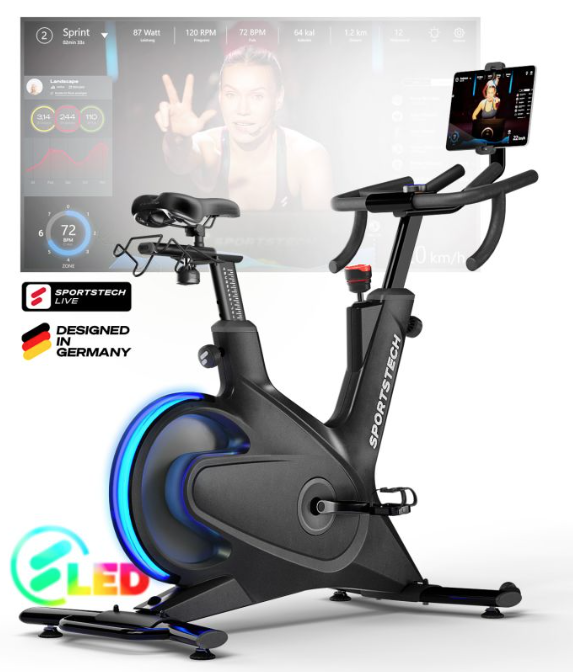
sBike Lite product photo
sBike Lite assembly video
FAQ
What unique feature does the sBike Lite offer for monitoring your heart rate during a workout?
The sBike Lite revolutionizes workout monitoring with a unique, color-coded LED heart rate display. The display uses colors to represent different workout intensities: blue for relaxation (<110 bpm), aqua for light activity (110-126 bpm), green for fitness (127-144 bpm), yellow for aerobic training (145-161 bpm), orange for anaerobic training (162-179 bpm), red for the maximum heart rate zone (180-196 bpm), and purple for maximum exertion (≥197 bpm). This intuitive visualization enables users to effectively manage and optimize their workout intensity.
Important information about workout values and measurement accuracy
We understand that precise workout data is an important part of your fitness journey. When you invest in high-quality workout accessories such as our specialized measuring pedals, you naturally expect reliable performance and accuracy. That’s why we’d like to share some important information about the measurement accuracy of our products compared with professional devices and the values provided by our sBike Lite. Please note that, as is the case with many other providers in the fitness industry, the workout values for our products are calculated using established formulas and algorithms. This method allows us to provide you with useful guidance and insights into your workout performance. However, it’s important to understand that these values should be treated as estimates.
Is the sBike Lite suitable for a wide range of heights?
Yes, the sBike Lite is specifically designed to provide optimal comfort for users between 1.60 m and 1.90 m tall. It therefore accommodates both shorter and taller users, offering an effective and comfortable workout experience for a wide range of people.
How does the sBike Lite differ from the sBike?
With its user-friendly button console and flexible 360° tablet/smartphone holder, the sBike Lite offers a simple, effective workout solution. The sBike, on the other hand, stands out with its large screen and integrated speakers, which provide a comprehensive workout experience. Both models combine a sturdy design with high quality to suit the needs of different users.
What braking system does the sBike Lite use?
The sBike Lite uses a magnetic braking system that provides smooth and precise resistance control. This system creates an effective and quiet workout environment, ideal for home fitness equipment.
Can the sBike Lite be used without a specific app?
Yes, the sBike Lite can also be used without an app, with basic workout data such as watts, heart rate, and revolutions per minute still available.
Are the sBike and sBike Lite models compatible with Kinomap and Zwift?
Yes, good news: our sBike Lite is compatible with Kinomap and Zwift.
How heavy is the flywheel on the sBike?
The sBike features a 16.5 kg flywheel, which ensures smooth and stable riding dynamics. This impressive flywheel weight is particularly beneficial for intense workouts and contributes to a realistic riding experience, making your workout more effective.
What is the distance from the seat to the pedal on the sBike Lite?
On the Sportstech sBike Lite, the distance from the tip of the seat to the pedal when fully depressed ranges from 75 cm at the minimum setting to 96 cm at the maximum setting.
Maximum dimensions of the tablet holder for the sBike Lite
Tablets with a maximum height or width of 25cm fit perfectly in the holder. The holder can also rotate through an angle of up to 330°. This information is especially useful for anyone who wants to use their tablet as a screen for workout apps, for entertainment during a workout, or to track workout data.
What should I do if my sBike Lite is stolen?
If your bike is stolen, it’s important to report the incident to your local police department immediately. Please note that in the event of a theft, the customer is responsible for taking the appropriate steps and cooperating with the authorities. As a company, we can only record the theft in our system to support the customer. Please be aware that we cannot conduct investigations ourselves or accept responsibility for the loss of the bike. For added security, we recommend registering your bike with your city’s bicycle registry, if available. This makes it easier to identify and trace the bike in the event of theft. Some cities offer scooter and bicycle registration with the police to prove ownership and make identification easier if the vehicle is stolen. Please contact your local police department for more information about this service. Customers who own a scooter should note that it is automatically registered as a light electric vehicle with many insurance providers. We recommend checking the exact details and terms of your insurance policy to make sure your scooter is adequately covered.
Troubleshooting & Quick Fixes
The device cannot connect to the app
Steps to successfully connect your sBike Lite to the Sportstech Live app. Turn on the device:
- Make sure the device switch is turned on and the QR code is visible.
- Open the Sportstech Live app: Launch the Sportstech Live app on your device.
- Go to Manage Devices: Open the "Manage Devices" screen, which is located in the Quickstart or Video Workouts section.
- Toggle Bluetooth: Toggle the Bluetooth switch on the same screen to refresh the connection.
- Find and connect: Wait for the app to find the device in the device list. Once it appears, click the "Connect" button.
- Check the connection: Once connected successfully, the timer should be visible on the device screen.
- Click Continue: Press the "Continue" button to proceed.
- Pedal to check data transmission: Start pedaling and you should hear a beep. This confirms that data is being transmitted.
- Listen for the sound when stopping or pausing: When you stop pedaling or pause, you should hear a beep indicating that the activity has ended and the data has been transmitted successfully.
- Additional tips: Make sure the app and the device firmware are up to date. Check that the device is within Bluetooth range of your mobile device. If the issue persists, restart both the app and the sBike Lite device. Make sure Bluetooth permissions are enabled for the Sportstech Live app. By following these steps, you should be able to connect the sBike Lite device to the Sportstech Live app successfully and enjoy a smooth workout experience.
What should I do if my seat slips?
Here’s how to stop the seat from slipping.
- Unscrew the fastening knob completely and remove the seat post bracket along with the seat.
- Carefully remove the plastic cover using a suitable tool.
- Remove the nut from the seat post bracket
- Turn the nut as shown in the next picture.
- Reinstall the nut in this position
- Reattach the cover
- Reattach the whole assembly to the seat post
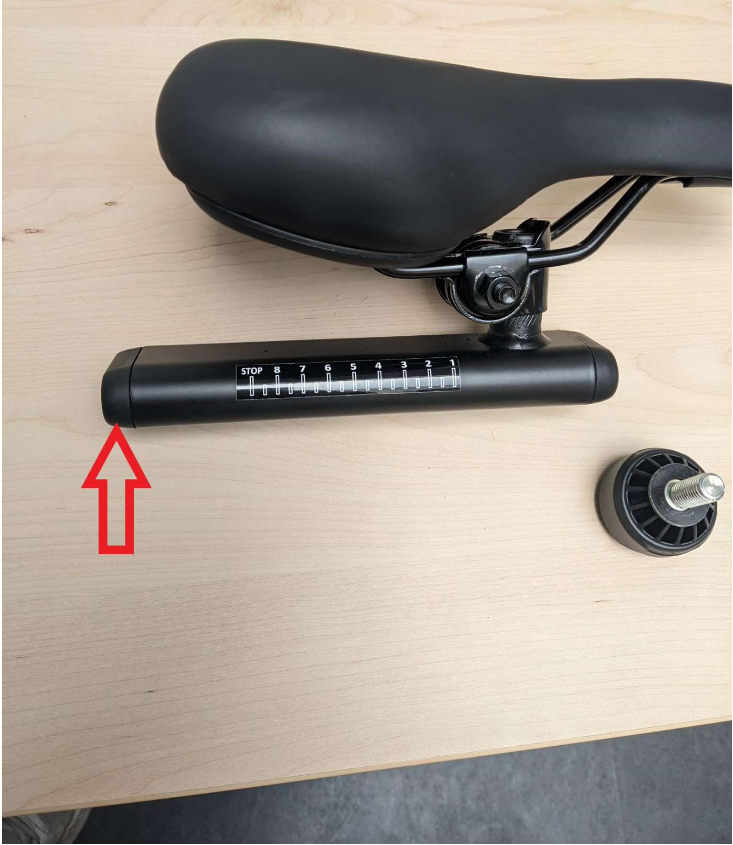
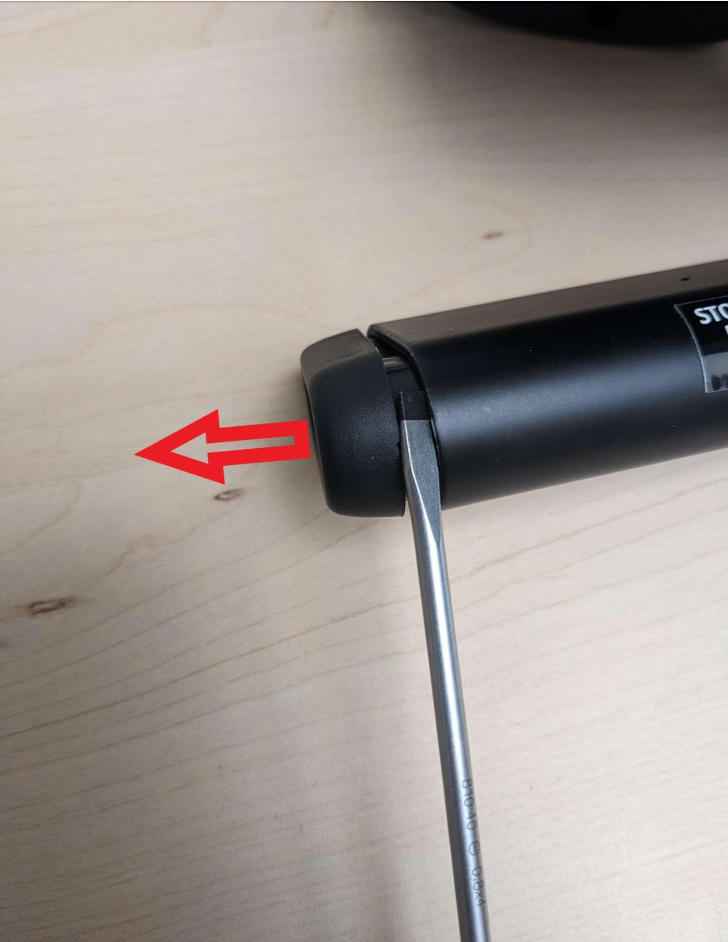
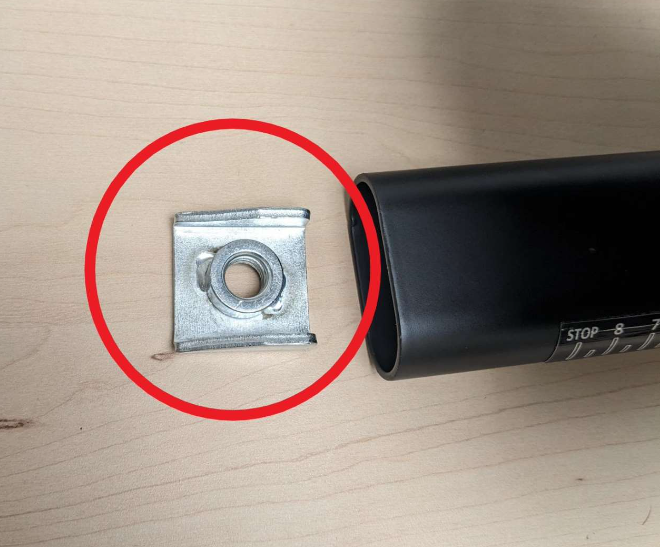
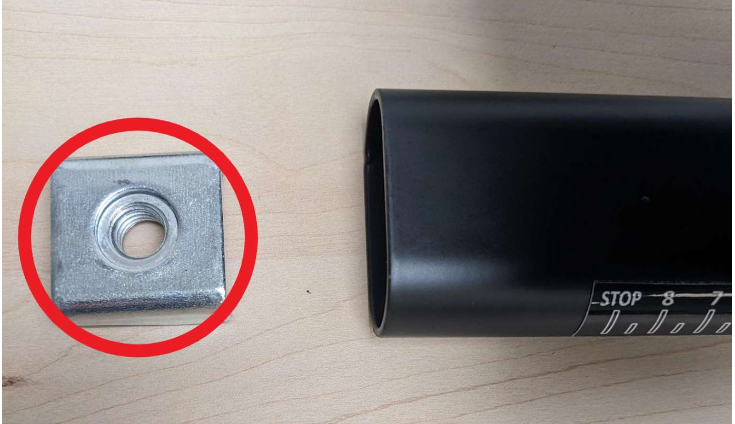
That’s all there is to it. If these instructions don’t help, you can order the following spare parts: sp_sbike_lite_18,sp_sbike_lite_19, sp_sbike_lite_20
You can find detailed instructions on how to order the necessary spare parts in this article: How can I get the spare parts I need?.
Replacing the parts does not affect your warranty, is quick, and is a simple solution.
The spare parts list includes all individual components, from assembly through to use.
The manual contains all the important information.