
F31s Treadmill FAQ
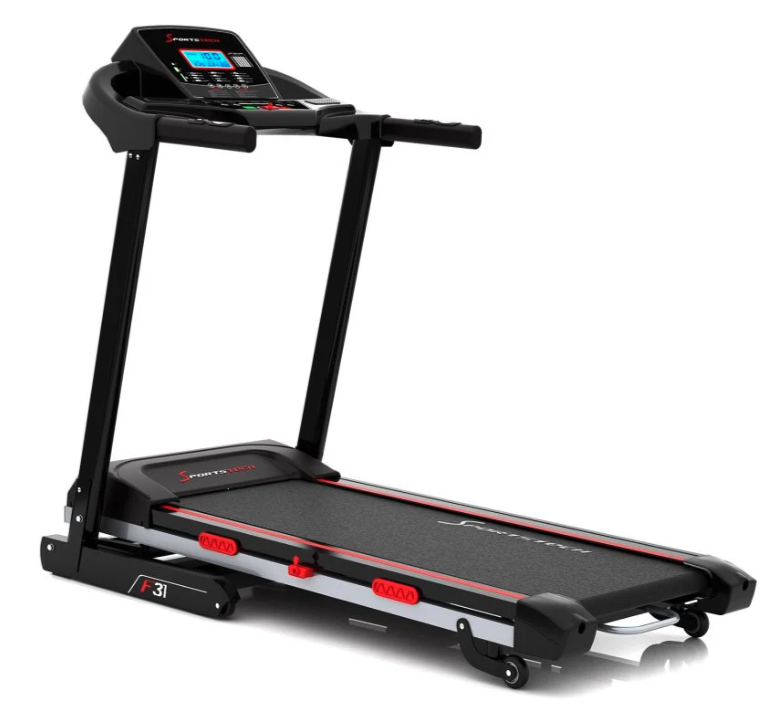
F31s treadmill product photo
F31s treadmill assembly video
FAQ
What is the distance between the running surface and the floor for checking the ceiling height?
The distance from the top of the running surface to the floor is 18 cm, and 26 cm at the maximum incline.
Is the F31s treadmill compatible with the Sportstech Live app?
Yes, the F31s is compatible with the Sportstech Live app.
What is the size of the running surface on the F31s treadmill?
The running surface measures 120 x 42,5 cm.
What footwear is suitable for the treadmill?
It is important to note that treadmills are best used with athletic shoes that have smooth, flat soles. Trail shoes or shoes with studs or rough soles can cause excessive wear, which may damage the device.
How much electricity does the F31s treadmill use?
Exact power consumption depends on how the treadmill is used, but is typical for a treadmill in this class.
Can the treadmill also be used outdoors?
No, the treadmill is intended for indoor use only.
What size should a floor protection mat for the F31s treadmill be?
The floor protection mat should measure at least 145 x 75 cm.
What is the maximum user weight for the F31s?
The maximum user weight is 150 kg.
Does the F31s treadmill have an adjustable incline?
Yes, the F31s has an automatic incline function with 15 levels.
What is a display unit?
Display units are a cost-effective option for high-quality products, offered at a reduced price. These used products have either been tested by prospective customers or displayed in stores. Display products may show minor signs of use, but have been carefully inspected both technically and visually.
What should I do if the treadmill squeaks while running?
Check the belt tension and lubrication; if the problem persists, contact customer support.
How do I tension the belt correctly?
The instructions provide specific steps for tensioning the belt correctly.
How loud is the treadmill, and can vibrations be felt in neighboring apartments?
The noise level and vibrations depend on how and where the treadmill is used.
How is the treadmill maintained?
Regular maintenance, including lubrication and belt adjustment, is required.
Is the F31s compatible with heart rate monitors/chest straps?
Yes, the F31s is compatible with the "Sportstech sPulse" and all other Bluetooth chest straps.
What should I do if the treadmill does not start?
Check the power supply, fuses, and safety clip. If the problem persists, contact customer support.
Does it have an emergency stop function?
Yes, the F31s has an emergency stop function.
Troubleshooting & Quick Fixes
Error SAFE – Safety key
⚠️ Error SAFE – Safety key
Description:
The safety key is not in place, or the magnet is too weak. Your treadmill will not start unless the key is correctly in place.
Solution:
Check that the safety key is correctly inserted in its designated slot.
Check the magnetic strength – if the magnet is weak, you can try using another magnet.
If that does not help, you will need a replacement safety key.
👉 The replacement is easy to carry out at home – without voiding your warranty and much more convenient than returning the product. If this does not resolve the issue, we will be happy to collect your device under warranty. Don’t worry: if anything does not go as planned during the replacement and the device is damaged as a result, we will of course take responsibility – provided you have handled the device carefully and respectfully.
Applies to: all models with a safety key
Error 1 – Cable connection
⚠️ Error 1 – Cable connection
Description:
The cable connection between the display, console, or PCB in the motor area may be loose, disconnected, or defective.
Solution:
Disconnect the device from the power supply.
Open the motor cover.
Check all plug connections: are they secure, and are any cables broken?
Reassemble the device and test it.
👉 If the problem persists, a replacement circuit board is probably needed.
➡️ The replacement is easy to carry out at home – without voiding your warranty and much more convenient than returning the product. If this does not resolve the issue, we will be happy to collect your device under warranty. Don’t worry: if anything does not go as planned during the replacement and the device is damaged as a result, we will of course take responsibility – provided you have handled the device carefully and respectfully.
Error 2 – Motor or control board
⚠️ Error 2 – Motor or control board
Description:
The motor or control board needs to be replaced.
Solution:
👉 Order the motor or control board directly through the chatbot.
➡️ The replacement is easy to carry out at home – without voiding your warranty and much more convenient than returning the product. If this does not resolve the issue, we will be happy to collect your device under warranty. Don’t worry: if anything does not go as planned during the replacement and the device is damaged as a result, we will of course take responsibility – provided you have handled the device carefully and respectfully.
Error 3 – Speed sensor
⚠️ Error 3 – Speed sensor
Description:
The speed sensor is faulty or incorrectly positioned.
Solution:
Check the position of the sensor next to the motor.
If necessary, move the sensor slightly (distance from the magnet).
If this does not help → replace the motor or speed sensor.
👉 You can order spare parts directly through the chatbot.
➡️ The replacement is easy to carry out at home – without voiding your warranty and much more convenient than returning the product. If this does not resolve the issue, we will be happy to collect your device under warranty. Don’t worry: if anything does not go as planned during the replacement and the device is damaged as a result, we will of course take responsibility – provided you have handled the device carefully and respectfully.
Error 4 – Voltage issue
⚠️ Error 4 – Voltage issue
Description:
The device is not receiving enough power, or the control board is defective.
Solution:
Disconnect the device from the power supply and wait a few minutes.
Open the motor cover and check the plug connections.
Connect the device directly to a wall outlet (do not use an extension cord).
As a test, switch off other power-hungry devices.
If there is no improvement → replace the control board.
👉 You can order spare parts directly through the chatbot.
➡️ The replacement is easy to carry out at home – without voiding your warranty and much more convenient than returning the product. If this does not resolve the issue, we will be happy to collect your device under warranty. Don’t worry: if anything does not go as planned during the replacement and the device is damaged as a result, we will of course take responsibility – provided you have handled the device carefully and respectfully.
Error 5 – Control board / motor
⚠️ Error 5 – Control board / motor
Description:
In most cases, the control board needs to be replaced. If that does not help, the motor is defective.
Solution:
👉 Order spare parts directly through the chatbot.
➡️ The replacement is easy to carry out at home – without voiding your warranty and much more convenient than returning the product. If this does not resolve the issue, we will be happy to collect your device under warranty. Don’t worry: if anything does not go as planned during the replacement and the device is damaged as a result, we will of course take responsibility – provided you have handled the device carefully and respectfully.
Error 7 – Motor overvoltage
⚠️ Error 7 – Motor overvoltage
Description:
This is often caused by the running belt being too tight.
Solution:
Loosen the running belt (according to the manual).
If necessary, tighten it slightly, but not as much as before.
If the problem persists → replace the motor.
👉 You can order spare parts directly through the chatbot.
➡️ The replacement is easy to carry out at home – without voiding your warranty and much more convenient than returning the product. If this does not resolve the issue, we will be happy to collect your device under warranty. Don’t worry: if anything does not go as planned during the replacement and the device is damaged as a result, we will of course take responsibility – provided you have handled the device carefully and respectfully.
Error 8 – Defective drive motor
⚠️ Error 8 – Defective drive motor
Description:
The drive motor is probably defective.
Solution:
👉 Order the replacement motor directly through the chatbot.
➡️ The replacement is easy to carry out at home – without voiding your warranty and much more convenient than returning the product. If this does not resolve the issue, we will be happy to collect your device under warranty. Don’t worry: if anything does not go as planned during the replacement and the device is damaged as a result, we will of course take responsibility – provided you have handled the device carefully and respectfully.
Error 10 – Incline motor
⚠️ Error 10 – Incline motor
Description:
The incline motor needs to be replaced.
Solution:
👉 Order the replacement part directly through the chatbot.
➡️ The replacement is easy to carry out at home – without voiding your warranty and much more convenient than returning the product. If this does not resolve the issue, we will be happy to collect your device under warranty. Don’t worry: if anything does not go as planned during the replacement and the device is damaged as a result, we will of course take responsibility – provided you have handled the device carefully and respectfully.
Error 11 – Incline motor
⚠️ Error 11 – Incline motor
Description:
The incline motor also needs to be replaced in this case.
Solution:
👉 Order the replacement part directly through the chatbot.
➡️ The replacement is easy to carry out at home – without voiding your warranty and much more convenient than returning the product. If this does not resolve the issue, we will be happy to collect your device under warranty. Don’t worry: if anything does not go as planned during the replacement and the device is damaged as a result, we will of course take responsibility – provided you have handled the device carefully and respectfully.
Running belt moves while running
Follow these instructions to tension your treadmill correctly:
1. Choose the right tool - Depending on the model, you will need either a Phillips screwdriver or a hex key. One of these tools is usually included with the treadmill.
2. Adjust the tension - If the treadmill belt slips, increase the tension by turning the right and left adjustment screws a quarter turn clockwise. If, on the other hand, the belt gets stuck, reduce the tension by turning both screws a quarter turn counterclockwise.
3. Check the adjustment, now set a speed of 1-2 km/h and walk on the treadmill. If the belt slips (the motor spins without driving the belt), increase the tension. If the belt and motor get stuck, reduce the tension. Also make sure the belt runs in the center. If it does not, center it correctly.
4. If the running belt is not centered, increase the tension on the side it is drifting toward. (If it moves to the right = slightly tighten the right side or slightly loosen the left; if it moves to the left = slightly tighten the left side or slightly loosen the right) Tighten by no more than a quarter turn at a time, then check again that the belt runs in the center.
Maintenance & cleaning
At least once a year, remove the treadmill motor cover and use a vacuum cleaner to remove any dust or dirt to ensure the motor and drive system continue to function smoothly.
Cleaning: After each use, wipe sweat off the device with a slightly damp cloth. Avoid any moisture or dampness on the electrical or electronic components. Do not use abrasive cleaners or solvents.
Maintenance: Check the condition of the device before and after each workout. Make sure all fasteners and protective covers are securely in place; tighten screws and nuts if necessary. Check that the safety clip is working correctly before every workout: stand on the side rails of the treadmill. Start the treadmill at a low speed. Pull the safety clip to stop the treadmill immediately. The treadmill should not restart while the safety clip is removed.
Lubrication: The running belt must be adequately lubricated with silicone oil to ensure the device functions properly and has a long service life. The lubrication system is located underneath the device. Lubrication and inspection intervals: Refill with silicone oil after the first 25 hours of operation or every 2-3 months. Check the lubrication regularly. Refill with silicone oil after no more than 50 hours of operation or every 5-8 months. Checking lubrication: Unplug the device. Lift the running belt on one side. Run your finger over the top of the running deck underneath the belt: if the deck feels slightly oily, lubrication is sufficient. If the deck is dry, refill with silicone oil.
The treadmill switches off by itself
The F31s switches off after approx. 20–24 seconds. This is not a fault, but the F31s automatic shut-off function. It happens after every start as long as nobody is walking on the treadmill.
Where do I add the lubricating oil?
The oil filler is now located underneath the device: the two red tubes on the left and right.
The on/off button does not light up
The on/off switch is not illuminated in order to minimize energy consumption; this is intentional.
The treadmill switches off by itself
The F31s switches off after approx. 20–24 seconds. This is not a fault, but the F31s automatic shut-off function. It happens after every start as long as nobody is walking on the treadmill.
My treadmill won't turn on – what should I do?
You may often be able to resolve the problem yourself without affecting your warranty.
Follow these simple steps to check for possible causes and resolve the issue:
- Switch off the treadmill and unplug it from the power supply. This is important to ensure there is no electrical connection while you inspect the device.
- Carefully open the motor cover. It is usually located at the bottom of the treadmill and may be secured with screws or snap fasteners, depending on the model.
- Check that all cable connections are secure, especially those between the motor and control unit. Loose or damaged cable connections can sometimes prevent the treadmill from starting.
- If necessary, reconnect any loose connections securely. Make sure the connections are firmly in place to ensure the treadmill works properly.
- Close the motor cover and reconnect the treadmill to the power supply. Once you have completed the inspection, close the cover and test the treadmill by plugging it back in.
If your treadmill still does not work after following these steps, I recommend contacting our customer support team for further assistance. Our team will be happy to help you resolve the issue and ensure you can resume your workout as soon as possible.
Repair instructions
Replacing the F31 display
Steps:
The spare parts list contains all the individual parts used, from assembly to use.
The manual contains all the important information.