
sWalk Lite Plus Treadmill FAQ
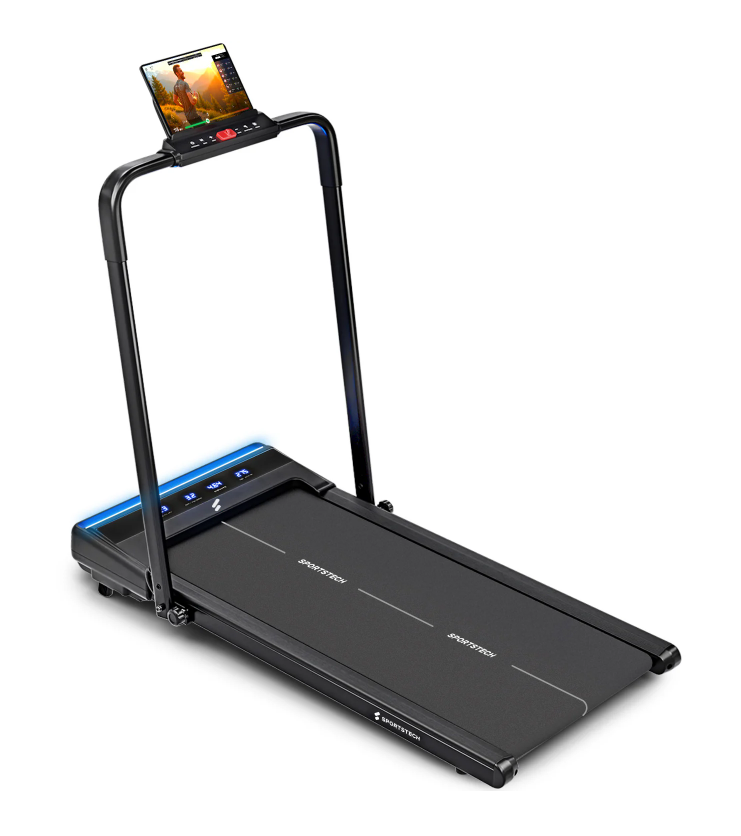
sWalk Lite Plus Treadmill Product Photo
FAQ
How far is the running surface from the floor, so I can check whether the ceiling height is sufficient?
The top of the running surface is approx. 12.5 cm above the floor.
What speeds can the treadmill reach?
The treadmill supports speeds of 1–12 km/h. You can run at up to 12 km/h with the bar raised, and walk at up to 6 km/h with the bar folded down.
Can the treadmill be stored upright?
The sWalk Lite Plus can also be stored upright.
Why isn't my remote control working?
Your remote control only works in Walk mode when the treadmill is folded up. This makes it easier to operate during light walking exercises. For more intense workouts with the treadmill unfolded, use the controls on the treadmill.
What is the size of the running surface on the sWalk Lite Plus treadmill?
The running surface measures 100 x 40 cm.
How many layers does the running belt have?
sWalk Lite Plus: The running belt consists of 5 layers.
What type of footwear is suitable for the treadmill?
It's important to note that treadmills are best used with sneakers that have a smooth, flat sole. Trail shoes or shoes with studs or coarse soles can cause excessive wear, which may damage the treadmill.
How much electricity does the sWalk Lite Plus treadmill use?
Exact power consumption depends on how it is used, but is typical for a treadmill in this class.
Can the sWalk Lite Plus also be used outdoors?
No, the treadmill is designed for indoor use.
How large should a floor protection mat for the sWalk Lite Plus treadmill be?
The floor protection mat should measure at least 140 x 70 cm.
What is the maximum user weight for the sWalk Plus?
The maximum user weight is 150 kg.
Does the sWalk Lite Plus have an incline?
Yes, the sWalk Lite Plus has a 6% incline. The incline supports are located at the front, beneath the motor, and must be folded out manually.
What does "Refurbished" mean?
Refurbished devices are a cost-effective option for high-quality products, offered at a reduced price. These used products have either been tested by prospective customers or displayed in stores. Refurbished products have minor signs of use, but have been carefully inspected and refurbished.
Troubleshooting & Quick Fixes
Error SAFE – Safety Key
⚠️ Error SAFE – Safety Key
Description:
The safety key is not in place, or the magnet is too weak. Your treadmill will not start unless the key is correctly in place.
Solution:
Check that the safety key is correctly inserted in its designated slot.
Check the magnet strength – if the magnet is weak, you can try using another magnet.
If this does not help, you will need a replacement safety key.
👉 Replacing it is easy to do at home – without voiding your warranty and much more conveniently than returning the treadmill. If this does not resolve the issue, we will be happy to collect your device under warranty. Don't worry: if anything does not go as planned during replacement and the device is damaged as a result, we will of course take responsibility – provided that you have handled the device carefully and respectfully.
Applies to: all models with a safety key
Error 1 – Cable Connection
⚠️ Error 1 – Cable Connection
Description:
The cable connection between the display, console, or PCB in the motor area may be loose, disconnected, or defective.
Solution:
Disconnect the device from the power supply.
Open the motor cover.
Check all plug connections: are they secure, and are any cables broken?
Reassemble the device and test it.
👉 If the problem persists, a replacement circuit board is probably needed.
➡️ Replacing it is easy to do at home – without voiding your warranty and much more conveniently than returning the treadmill. If this does not resolve the issue, we will be happy to collect your device under warranty. Don't worry: if anything does not go as planned during replacement and the device is damaged as a result, we will of course take responsibility – provided that you have handled the device carefully and respectfully.
Error 2 – Motor or Control Board
⚠️ Error 2 – Motor or Control Board
Description:
The motor or control board needs to be replaced.
Solution:
👉 Order a motor or control board directly through the chatbot.
➡️ Replacing it is easy to do at home – without voiding your warranty and much more conveniently than returning the treadmill. If this does not resolve the issue, we will be happy to collect your device under warranty. Don't worry: if anything does not go as planned during replacement and the device is damaged as a result, we will of course take responsibility – provided that you have handled the device carefully and respectfully.
Error 4 – Voltage Problem
⚠️ Error 4 – Voltage Problem
Description:
The device is not receiving enough power, or the control board is defective.
Solution:
Disconnect the device from the power supply and wait a few minutes.
Open the motor cover and check the plug connections.
Plug the device directly into a wall socket (do not use an extension cord).
Try switching off other power-hungry devices.
If the issue persists → replace the control board.
👉 You can order replacement parts directly through the chatbot.
➡️ Replacing it is easy to do at home – without voiding your warranty and much more conveniently than returning the treadmill. If this does not resolve the issue, we will be happy to collect your device under warranty. Don't worry: if anything does not go as planned during replacement and the device is damaged as a result, we will of course take responsibility – provided that you have handled the device carefully and respectfully.
Error 5 – Control Board / Motor
⚠️ Error 5 – Control Board / Motor
Description:
In most cases, the control board needs to be replaced. If this does not help, the motor is defective.
Solution:
👉 Order replacement parts directly through the chatbot.
➡️ Replacing it is easy to do at home – without voiding your warranty and much more conveniently than returning the treadmill. If this does not resolve the issue, we will be happy to collect your device under warranty. Don't worry: if anything does not go as planned during replacement and the device is damaged as a result, we will of course take responsibility – provided that you have handled the device carefully and respectfully.
Error 7 – Motor Overvoltage
⚠️ Error 7 – Motor Overvoltage
Description:
This is often caused by the running belt being too tight.
Solution:
Loosen the running belt (as described in the manual).
If necessary, tighten it slightly, but not as much as before.
If the problem persists → replace the motor.
👉 You can order replacement parts directly through the chatbot.
➡️ Replacing it is easy to do at home – without voiding your warranty and much more conveniently than returning the treadmill. If this does not resolve the issue, we will be happy to collect your device under warranty. Don't worry: if anything does not go as planned during replacement and the device is damaged as a result, we will of course take responsibility – provided that you have handled the device carefully and respectfully.
Error 8 – Defective Drive Motor
⚠️ Error 8 – Defective Drive Motor
Description:
The drive motor is probably defective.
Solution:
👉 Order a replacement motor directly through the chatbot.
➡️ Replacing it is easy to do at home – without voiding your warranty and much more conveniently than returning the treadmill. If this does not resolve the issue, we will be happy to collect your device under warranty. Don't worry: if anything does not go as planned during replacement and the device is damaged as a result, we will of course take responsibility – provided that you have handled the device carefully and respectfully.
sWalk Lite Plus Spare Parts List
The spare parts list includes all individual components, from assembly through to use.
The manual contains all the important information.