
FX300 Treadmill FAQ
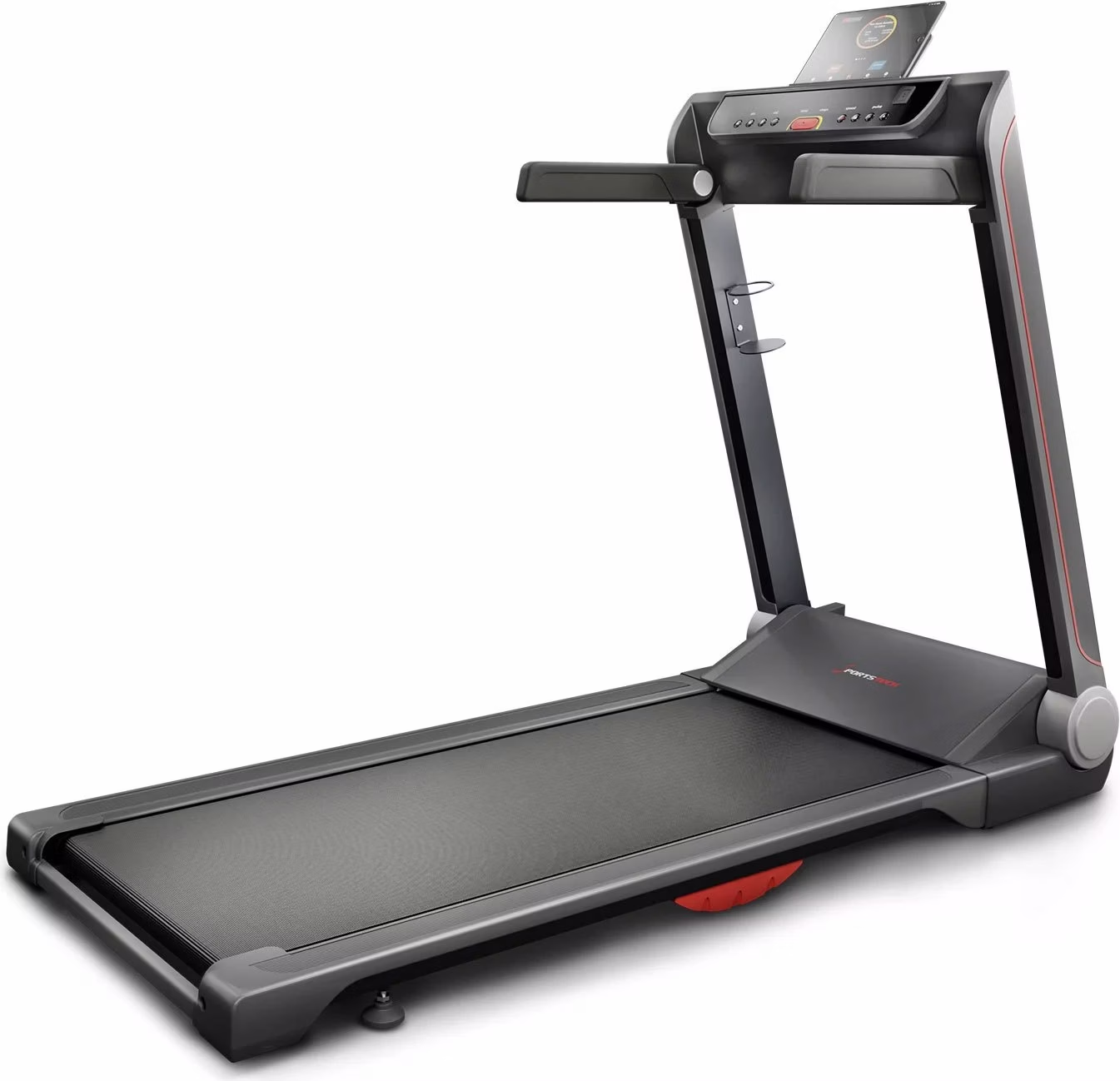
FX300 treadmill product photo
FX300 assembly video
Troubleshooting & Quick Fixes
Display shows the message O1L or OIL – FX300 treadmill
This message appears when the treadmill needs to be lubricated. After lubricating it, please press and hold the Stop/Pause button for approx. 5 seconds. This resets the timer and the message disappears. Repeat this process whenever this message appears on the display.
The treadmill is wearing out. What type of footwear is suitable for the treadmill?
It is important to note that treadmills should ideally be used with trainers that have smooth, flat soles. Trail shoes or shoes with cleats or rough soles can cause excessive wear, which may damage the machine.
Error SAFE – safety key
⚠️ Error SAFE – safety key
Description:
The safety key is not in place or the magnet is too weak. Your treadmill will not start unless the key is correctly in place.
Solution:
Check that the safety key is correctly inserted in the designated slot.
Check the magnetic strength – if the magnet is weak, you can try using another magnet.
If this does not help, you will need a replacement safety key.
👉 You can easily replace it at home – without affecting your warranty and much more conveniently than returning the product. If this does not resolve the issue, we will be happy to collect your machine under warranty. Don't worry: if anything does not go as planned during replacement and the machine is damaged as a result, we will of course take responsibility – provided you have handled the machine carefully and respectfully.
Applies to: all models with a safety key
Error 04
The error code "Error 04" or "E04" usually indicates that the machine is not receiving enough power – this is most often because too many electrical devices are connected to the same outlet at the same time.
We therefore recommend plugging the machine into a dedicated outlet (without a power strip) and testing it again.
Error message E03 – FX300 treadmill
E03: Speed signal not received for more than 3 seconds.
Solution: Check that all plug connections are secure. If a plug connection is faulty, it must be replaced.
Treadmill belt shifts while running – FX300 treadmill
Follow these instructions to tension your treadmill correctly:
1. Choose the right tool – Depending on the model, you will need either a Phillips screwdriver or a hex key. One of these tools is normally included with the treadmill.
2. Adjust the tension – If the treadmill belt slips, increase the tension by turning the right and left adjustment screws a quarter turn clockwise. If the belt is sticking, reduce the tension by turning both screws a quarter turn counterclockwise.
3. Check the adjustment – Now set a speed of 1–2 km/h and walk on the treadmill. If the belt slips (the motor spins without moving the belt), increase the tension. If the belt and motor are sticking, reduce the tension. Also make sure that the belt is centered. If it is not, center it correctly.
4. If the treadmill belt is not centered, increase the tension on the side toward which it is drifting. (If it moves to the right = slightly tighten the right side or slightly loosen the left side; if it moves to the left = slightly tighten the left side or slightly loosen the right side.) Tighten by no more than a quarter turn at a time, then check again that the belt is centered.
Maintenance & cleaning
General maintenance and care help preserve your machine's service life and performance. Keep the machine clean by dusting the components regularly. Clean both sides of the machine so that dust does not accumulate under the belt. Keep your running shoes clean to prevent the running surface and treadmill belt from getting dirty. Clean the surface of the treadmill belt with a clean, damp cloth. We recommend switching off the machine for 10 minutes after 2 hours of continuous operation and switching it off completely when not in use. A loose treadmill belt can cause the runner to slip while running. If the treadmill belt is too tight, the motor's performance will decrease and friction between the roller and the treadmill belt will increase. The ideal position is when the belt can be lifted 50–75 mm from the running surface. You must lubricate your machine before using it for the first time.
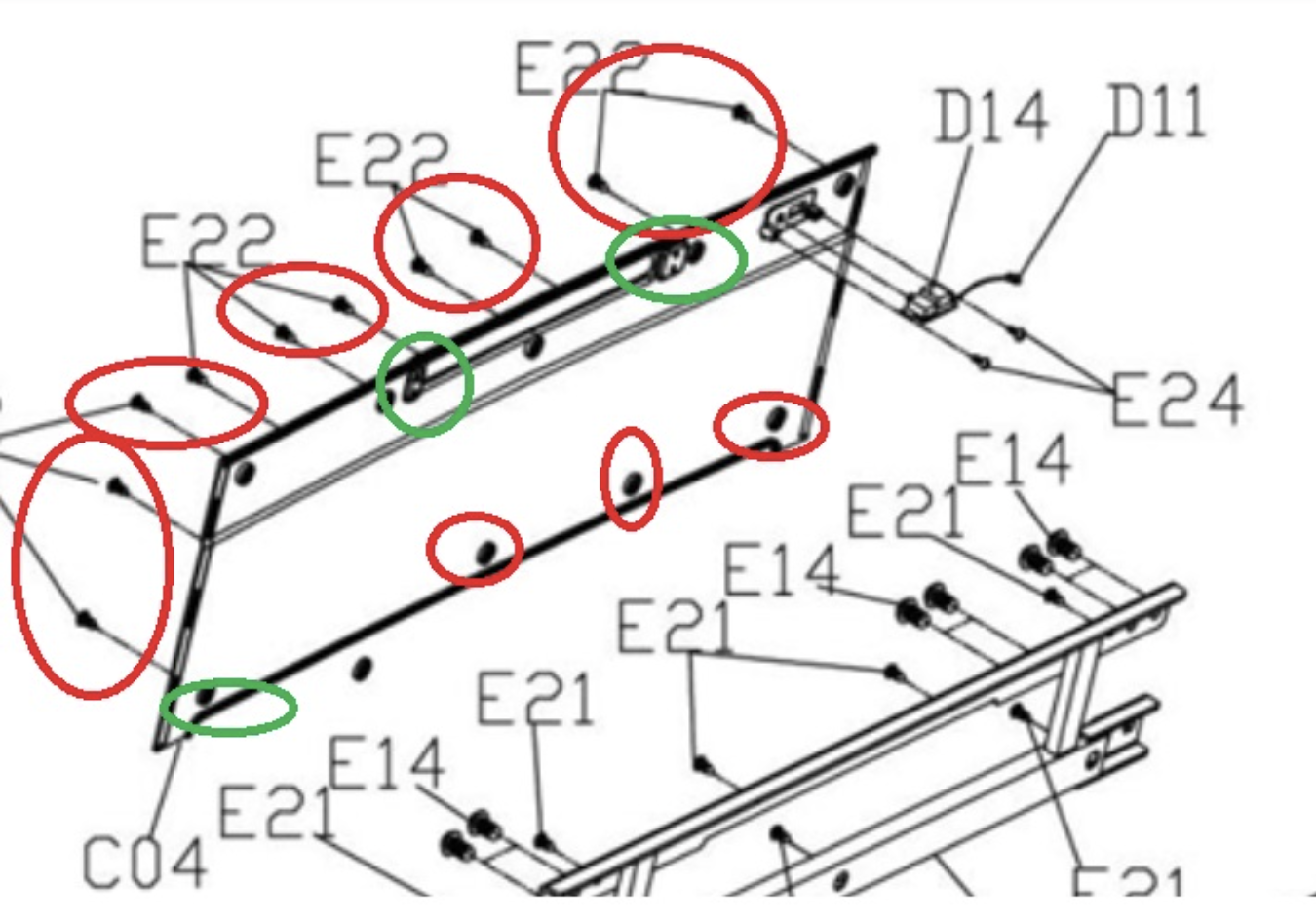
How can I replace the tablet holder?
See photo: First, loosen the following screws. The holder can then be removed and replaced.
My treadmill won't turn on – what should I do?
You may often be able to resolve the issue yourself without affecting your warranty.
Follow these simple steps to check for possible causes and resolve the issue:
- Switch off the treadmill and unplug it.
- Carefully open the motor cover.
- Check that all cable connections are secure.
- If necessary, firmly reconnect any loose connections.
- Close the motor cover and plug the treadmill back in.
If your treadmill still does not work after following these steps, I recommend contacting our customer support team for further assistance.
Troubleshooting & Quick Fixes
Error SAFE – safety key
⚠️ Error SAFE – safety key
Description:
The safety key is not in place or the magnet is too weak. Your treadmill will not start unless the key is correctly in place.
Solution:
Check that the safety key is correctly inserted in the designated slot.
Check the magnetic strength – if the magnet is weak, you can try using another magnet.
If this does not help, you will need a replacement safety key.
👉 You can easily replace it at home – without affecting your warranty and much more conveniently than returning the product. If this does not resolve the issue, we will be happy to collect your machine under warranty. Don't worry: if anything does not go as planned during replacement and the machine is damaged as a result, we will of course take responsibility – provided you have handled the machine carefully and respectfully.
Applies to: all models with a safety key
Error 1 – cable connection
⚠️ Error 1 – cable connection
Description:
The cable connection between the display, console or PCB in the motor area may be loose, disconnected or faulty.
Solution:
Disconnect the machine from the power supply.
Open the motor cover.
Check all plug connections: are they secure, and are any cables broken?
Reassemble the machine and test it.
👉 If the problem persists, a replacement circuit board is probably required.
➡️ You can easily replace it at home – without affecting your warranty and much more conveniently than returning the product. If this does not resolve the issue, we will be happy to collect your machine under warranty. Don't worry: if anything does not go as planned during replacement and the machine is damaged as a result, we will of course take responsibility – provided you have handled the machine carefully and respectfully.
Error 2 – motor or control board
⚠️ Error 2 – motor or control board
Description:
The motor or control board needs to be replaced.
Solution:
👉 Order the motor or control board directly via the chatbot.
➡️ You can easily replace it at home – without affecting your warranty and much more conveniently than returning the product. If this does not resolve the issue, we will be happy to collect your machine under warranty. Don't worry: if anything does not go as planned during replacement and the machine is damaged as a result, we will of course take responsibility – provided you have handled the machine carefully and respectfully.
Error 4 – voltage issue
⚠️ Error 4 – voltage issue
Description:
The machine is not receiving enough power or the control board is faulty.
Solution:
Unplug the machine and wait a few minutes.
Open the motor cover and check the plug connections.
Plug the machine directly into a wall outlet (do not use an extension cord).
Try switching off other power-hungry devices.
If this does not help → replace the control board.
👉 You can order replacement parts directly via the chatbot.
➡️ You can easily replace it at home – without affecting your warranty and much more conveniently than returning the product. If this does not resolve the issue, we will be happy to collect your machine under warranty. Don't worry: if anything does not go as planned during replacement and the machine is damaged as a result, we will of course take responsibility – provided you have handled the machine carefully and respectfully.
Error 5 – control board / motor
⚠️ Error 5 – control board / motor
Description:
In most cases, the control board needs to be replaced. If this does not help, the motor is faulty.
Solution:
👉 Order replacement parts directly via the chatbot.
➡️ You can easily replace it at home – without affecting your warranty and much more conveniently than returning the product. If this does not resolve the issue, we will be happy to collect your machine under warranty. Don't worry: if anything does not go as planned during replacement and the machine is damaged as a result, we will of course take responsibility – provided you have handled the machine carefully and respectfully.
Error 7 – motor overvoltage
⚠️ Error 7 – motor overvoltage
Description:
This is often caused by the treadmill belt being too tight.
Solution:
Loosen the treadmill belt (as described in the manual).
If necessary, tighten it slightly, but not as much as before.
If the problem persists → replace the motor.
👉 You can order replacement parts directly via the chatbot.
➡️ You can easily replace it at home – without affecting your warranty and much more conveniently than returning the product. If this does not resolve the issue, we will be happy to collect your machine under warranty. Don't worry: if anything does not go as planned during replacement and the machine is damaged as a result, we will of course take responsibility – provided you have handled the machine carefully and respectfully.
Error 8 – faulty drive motor
⚠️ Error 8 – faulty drive motor
Description:
The drive motor is probably faulty.
Solution:
👉 Order a replacement motor directly via the chatbot.
➡️ You can easily replace it at home – without affecting your warranty and much more conveniently than returning the product. If this does not resolve the issue, we will be happy to collect your machine under warranty. Don't worry: if anything does not go as planned during replacement and the machine is damaged as a result, we will of course take responsibility – provided you have handled the machine carefully and respectfully.
The spare parts list contains all the individual components used, from assembly through to use.
The manual contains all the important information.